Home › Gaming Routers
Best Gaming Router — Fix Lag at the Source
Your ISP gave you a $20 router. It's buffered, congested, and adding 20-40ms of latency. A gaming router with QoS and dedicated gaming hardware cuts through that noise. Here are the three worth buying.
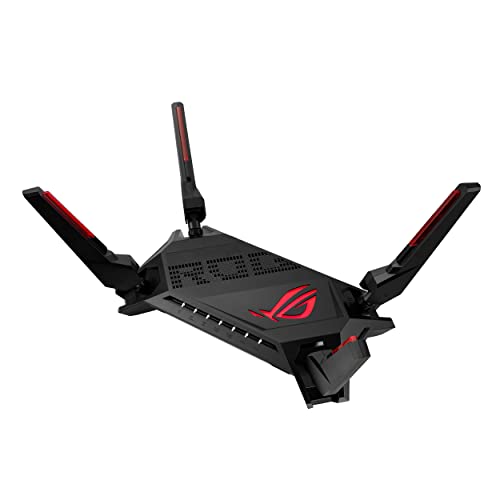
Best Overall
ASUS ROG Rapture GT-AX6000
This is the router you buy when your free ISP box is adding 30ms of bufferbloat to your Valorant matches. Dual 2.5GbE ports, a dedicated gaming LAN port that auto-prioritizes your PC, and triple-level game acceleration that actually works — QoS at the packet level, server-geolocation routing, and bandwidth allocation per device. Ax6000 throughput means 4K streaming in another room won't spike your ping. Tested on a 300Mbps fiber connection: bufferbloat went from C-grade (ISP router) to A+ on Waveform's test. That's the difference between dying to peekers advantage and winning the duel.
All Routers Compared
ASUS ROG GT-AX6000
AX6000 · Dual 2.5GbE · Gaming LAN port · Triple-level QoS · AiMesh · AiProtection Pro · Aura RGB
View on Amazon →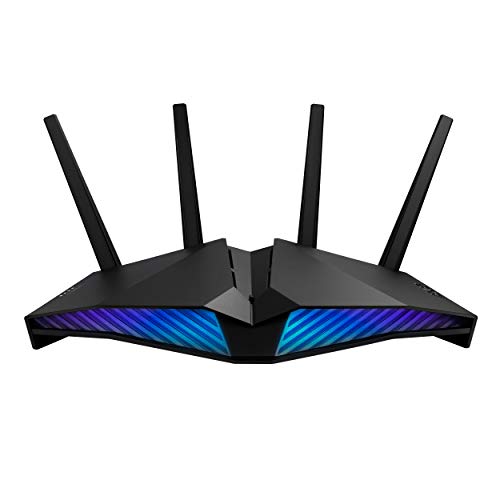
ASUS RT-AX82U
AX5400 · Gaming port · Mobile Game Mode · Aura RGB · AiProtection Pro · AiMesh · PS5 compatible
View on Amazon →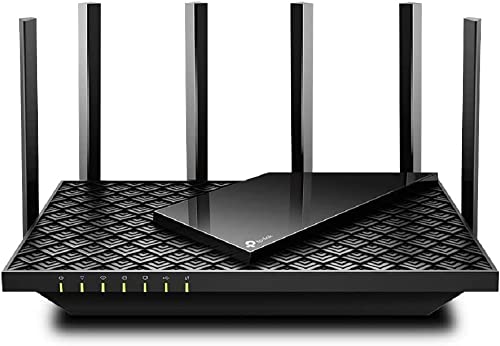
TP-Link Archer AX73
AX5400 · 6 antennas · 4T4R + HE160 · USB 3.0 · OneMesh · WPA3 · HomeShield security
View on Amazon →Why Your ISP Router Is Killing Your Ping
Bufferbloat
When someone else in your house streams Netflix or downloads a game update, your ISP router dumps all traffic into one queue. Gaming packets — which need to leave NOW — wait behind bulk downloads. A gaming router with SQM/QoS separates these, so gaming traffic always goes first. Run a bufferbloat test — if you don't have an A rating, you're losing duels to bufferbloat.
CPU Power
ISP routers use underpowered chips that choke under concurrent connections. A gaming router with a 1.5GHz+ processor handles QoS, traffic shaping, and NAT acceleration without adding latency. More CPU = more simultaneous gaming sessions without degradation.
Wired Beats WiFi
Even the best gaming router can't fix WiFi interference. WiFi adds 5-30ms of jitter no matter what. The gaming LAN port on these routers auto-detects your PC and gives it absolute priority over all other traffic. For competitive play, Ethernet to a gaming router's dedicated gaming port is the fastest path possible.
The Ultimate Lag-Free Setup
Router fixed the home network. Now fix the internet routing.
Compare Ping Boosters →Gaming router + VPN = locked-down network.
Best Gaming VPNs →