
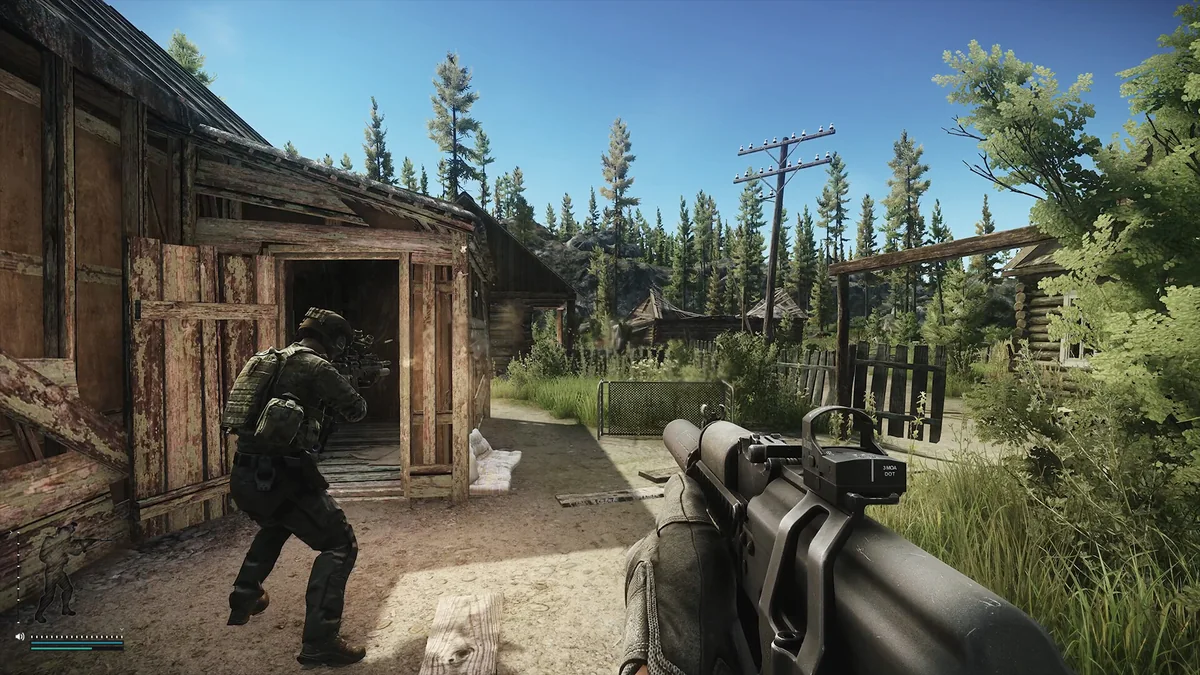
Deselect far servers before party lobby
PlayerRTT calm during scav wave server lag
Separate uplink loss from raid tick stalls
Start here
What to check first in Tarkov
Tarkov desync does not identify a cause. Separate movement rollback or delayed interaction from a frozen client frame. Record map, mode, raid time, party and any exposed server selection. Compare local traffic or Ethernet one change at a time; a different raid is an uncontrolled service variable.
Check Tarkov's Launcher Servers & in-raid PlayerRTT readout
- BSG Launcher → Change Server
- Uncheck Auto → pin nearby low-ping regions
- In-Raid: press
- ~ (Tilde) open console
- Type
fps 1+ Enter
PlayerRTT holds steady, Frame time stays even, and no red/yellow ping or packet-loss badge flashes top-right.
Brief freezes when scoping or when AI waves spawn while PlayerRTT stays flat are Unity client/RAM hitches rather than ISP loss.
Rising RTT, packet-loss icon, or server-connection-lost kicks point to party-leader region distance, Wi-Fi instability, or raid-server trouble.
In squad raids, the party leader's BSG Launcher server list determines the raid host—confirm their selected regions before troubleshooting.
Escape from Tarkov
Tarkov desync is a name for an event, not a layer
Rubberbanding, a frozen image, a late interaction and a disconnect are different notes. A raid also has a map, a minute, and sometimes a party. Those are the context a ping number does not carry.
Rubberbanding
Look for loss or instability before chasing average ping.
One raid feels broken
Repeat under comparable map and party conditions.
Visible FPS hitch
Separate client stutter from network movement correction.
Disconnect or packet loss
Check service context, local network and repeatability.
Fault tree
Tarkov fault tree: rubberband, hitch, or one raid
Start from what your eyes saw. Desync is the complaint. The branch is the evidence.
Movement snaps back and the world keeps rendering
Call it rollback in the note, not packet loss, unless a warning used those words. Record the map and whether voice or the party broke at the same second. Then compare one quiet wired raid with the map as similar as you can manage.
The whole image freezes, then catches up, with no network warning
That is a client hitch until a network signal shows up beside it. Note background load and frame behavior. A new route will not render the frame the PC did not draw.
One raid disconnects and the next does not
Keep the error text, the map and the party. A single disconnect is a raid event. Changing three settings before the next deployment destroys the comparison.
The party rubberbands at the same timestamp on a quiet wired link
Preserve the raid context and the clock time for official support. Several players sharing one moment is a session lead. It is still not a measurement of your ISP's backbone.
Terms for the note
Tarkov maps and actions that belong in the timeline
Write the map. Factory, Customs, Woods, Shoreline, Interchange, Reserve, Lighthouse, Streets of Tarkov, Ground Zero and The Lab are not interchangeable raids. Dorms, the resort, IDEA, Goshan, OLI, a marked room and an Emercom extract are places a hitch can cluster because the client is drawing more players or more glass. Scav and PMC are different inventories and different risk, not different proofs about your router.
Inertia, weight, stamina and a heavy thorax or stomach shot change how movement looks. A prefire, a mag dump and a peek around a door can look like rollback when the image was already late. VOIP breaking at the same second as the snap is a better network clue than the word desync alone. Insurance, the hideout, the flea market and a Bitcoin farm are menus. A menu stutter is not a raid host.
Bosses are content, not causes. Tagilla, Killa, Reshala, Glukhar, the Goons, a cultist priest or a raider pile can freeze a client that was fine in an empty field. If the freeze has no warning text, say the boss name and keep the route out of it. Prapor, Therapist, Skier, Peacekeeper, Mechanic, Ragman, Jaeger and Fence are traders. They do not belong in a desync ticket unless you were in their menu.
Tarkov raid sheet
A timeline for one raid, not a ping average
Empty cells are intentional. Fill them from the raid you just left. The example row is a label, not a result.
| Map and mode | Raid minute | Visible event | Launcher text actually shown | Frame behavior | Did the party share it |
|---|---|---|---|---|---|
| Worksheet example, not a raid | Deployment, mid-raid, or extract | Rubberband, freeze, late loot, or disconnect | Blank if the launcher hides it | Image kept drawing, or it stopped | Yes, no, or you were solo |
| Raid you just left | |||||
| Next comparable raid | |||||
| After one local change |
Conclusion
If you only do one thing in Tarkov
When the bad moment happens, write the map, the minute, and which of these you saw: the image froze, your movement snapped backward while the world kept drawing, an interaction came late, or you disconnected. Add the exact warning text and whether the party saw it. If the image froze and no network warning appeared, investigate the client before the router. If movement snaps back on a quiet wired link across several comparable raids, keep those timelines together and talk to support with the maps attached. Do not change graphics, launcher region and a VPN between those raids.
Tarkov order
Name the raid event before you touch the launcher or the router
The next raid is often a different host. A smooth follow-up raid is not proof that a setting change fixed desync.
Capture the raid context
Record map, local time, party leader and whether the symptom began at deployment or later.
Name the visible symptom
Separate rubberbanding, delayed interaction, disconnects, loss and frozen frames.
Repeat one comparable raid
Keep party and map conditions as similar as practical.
Quiet the home connection
Pause uploads and compare Ethernet or clean nearby Wi-Fi.
Compare a route last
Use the normal ISP route as the control and retain failed runs too.
Tarkov client
Write only the server text this Tarkov build actually shows
If the launcher hides the raid host, leave it unknown. Inventing a server address makes the report worse. Map, mode, party leader and the exact warning text are the durable fields.
Raid context
Keep map, local time, party leader and the point in the raid where the symptom began.
Client or launcher network state
Record only the server or region information the current client exposes. Leave it blank when the build does not show it.
Frame-time behavior
A frozen or overloaded client can resemble desync. Capture frame behavior beside any loss or disconnect indicator.
Tarkov situations
One bad raid is not a home-network verdict
Shared rollback across a party, at the same timestamp, points at that raid's session. A freeze with no network warning points at the client.
One raid is bad; the next is normal
Treat the individual raid or service context as a leading clue. Do not credit a random setting change.
Movement snaps back repeatedly
Record loss indicators and whether other real-time traffic is unstable. Rubberbanding is a symptom, not a cause.
The client freezes during action
Check frame time and device load. A route comparison cannot repair a rendering hitch.
Practical session walkthrough
Build a useful Tarkov desync report without confusing it with stutter
A delayed hit or rollback is an observation, not a diagnosis. Different raids can use different service conditions, so an apparent improvement between two raids needs cautious interpretation.
Record the raid context
Before testing, note map, mode, party leader and the server or region information the current launcher actually exposes. Leave hidden server details unknown. Capture the local time and whether the problem starts at deployment or later.
Name the event precisely
Distinguish a frozen image, movement snapping back, delayed interaction and a disconnect. Record any network warning exactly as displayed. Pair the event with FPS or frame-time observations when available.
Keep the next comparison small
- First pause uploads and sync; for a wireless setup, try a wired session where practical.
- Do not also change graphics, launcher region and routing software.
- Repeat comparable raid conditions and record the changed factor.
Keep failures and raid differences in the record
A smooth next raid cannot show which variable caused the change. Retain at least three observations per condition, including bad raids and disconnects, and say when map, party or service conditions could not be matched.
Build a raid timeline that distinguishes rollback from stutter
| What you observe | Next controlled check | What it cannot prove |
|---|---|---|
| Image freezes, then catches up | Capture frame time or FPS around the event and note storage or background workload. | A frozen render does not prove that packets were lost. |
| Movement snaps back while rendering continues | Capture the visible network warning, time and repeated movement correction. | Rollback describes the event; it does not locate the cause. |
| Disconnect happens in one raid | Keep the exact error text and whether teammates were affected. Check official service context. | Do not change several settings after one disconnect and credit the next raid. |
| Several comparable raids fail on quiet Ethernet | Retain timestamps, map and selected server information for support; compare another time window. | “Comparable” raids can still run on different infrastructure. |
Write down the sequence before restarting
Record what happened first: a frame freeze, a network warning, a delayed action or the disconnect message. Keep the exact wording instead of translating every warning into “packet loss.” A short clip can show whether the camera kept rendering while player state moved backwards; that is different evidence from an image that stopped updating entirely.
Before a repeat session, note map, mode, party leader, local time and the server or region selection actually exposed by the current launcher. Do not invent a match-server IP or assume that a region selection names the individual raid host. Avoid posting account identifiers, private voice chat or player details in a public report.
Separate a local experiment from a new raid
Pause cloud sync or compare Ethernet, then retain several comparable raid observations, including failures. Keep map, mode and party as similar as possible. The next raid may have a different host, load or player population, so a smooth result is a lead to repeat, not proof that the change solved desync.
Illustrative decision, not a test result: if the client repeatedly hitches at an action while the available network display remains familiar, inspect client performance first. If movement rollback repeats without that hitch and voice also breaks up, a local-link check becomes more useful. Both symptoms can coexist, so retain both observations.
Tarkov desync notes fail when the next raid is treated as the control. If you attach a Windows log, label which raid minute it overlaps. The log is not the raid host.
Tarkov limits
Tarkov outcomes a route product cannot promise
A client hitch, a single raid, and a launcher region you cannot see are all outside what an alternate path can honestly claim.
- ×A client frame-time bottleneck
- ×A single unstable raid
- ×Game maintenance or authentication trouble
- ×Wi-Fi interference or upload saturation
Tarkov next
Take the raid timeline into the next tool
Diagnosis can separate loss, spikes and a stable high number. It still needs your map and the wording of the warning.
Choose loss, spikes or stable high ping for a scoped next step.
Open guide →Compare CS2 packet loss & subtickContrast Tarkov raid rollback with Valve SDR misdelivery and subtick pacing.
Open guide →Compare Overwatch 2 IND interpolationSee how rubberbanding maps to interpolation delay (IND) vs raw network RTT.
Open guide →Packet loss vs high pingSeparate missing datagrams from steady baseline distance before changing routing tools.
Read note →Mesh Wi-Fi & powerline jitterCheck whether wireless backhaul hops trigger repeated raid rollback on home links.
Read note →Local instability confirmed? Hardware checksWired Cat6, USB Ethernet, MoCA bridges, and QoS router compatibility checks.
Open checks →Tarkov sources
Battlestate support is the source for client and account issues
Escape from Tarkov support is the current source for game and account guidance. Server-selection controls and displayed network indicators can change by client version, so record what the current build actually exposes.
Tarkov FAQ
Questions that come up in Escape from Tarkov
What is Tarkov desync?
Desync describes game states appearing out of step. It does not prove which layer caused the experience.
Is rubberbanding always a routing problem?
No. Record loss indicators, raid context and repeatability before identifying the layer.
Can a ping booster fix Tarkov desync?
Only when the route is the repeatable problem. It cannot repair a client hitch, Wi-Fi, congestion or a service issue.